By Nicholas Field September 15, 2026
A free credit card terminal replacement is not automatically free just because the original terminal arrived with no upfront equipment charge.
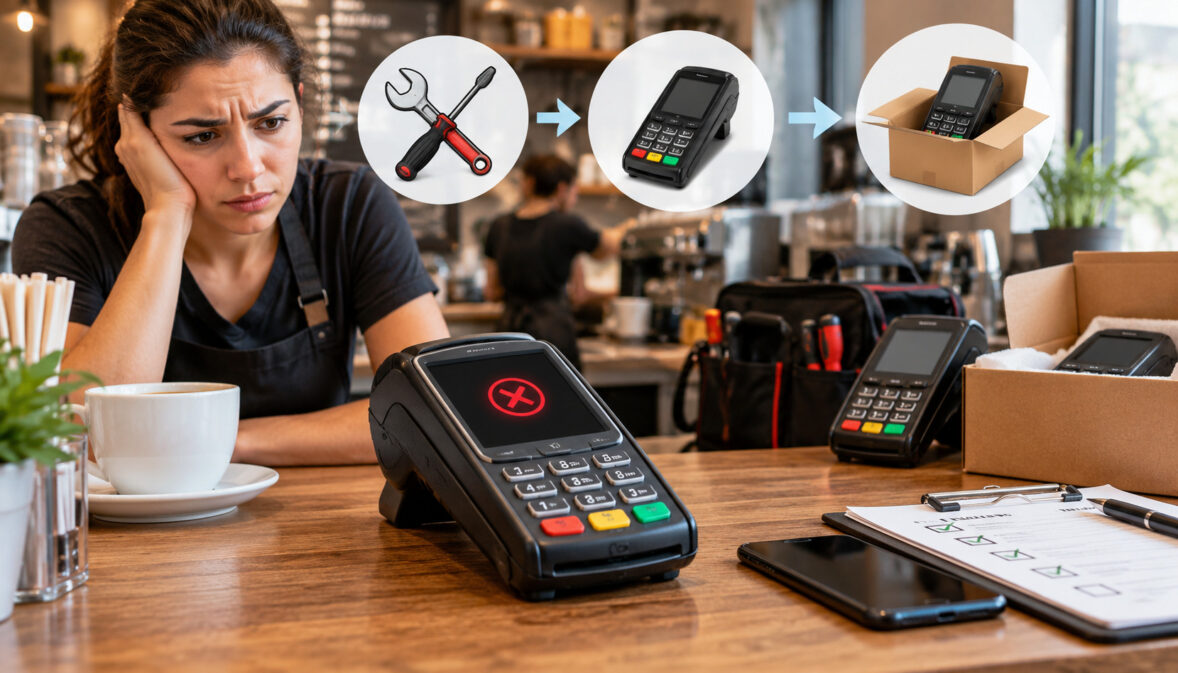
When a placed payment terminal dies in the middle of a shift, the merchant’s cost and downtime depend primarily on the equipment agreement: who owns the hardware, what qualifies as a covered defect, what the agreement calls accidental damage, how the swap process works, and whether the failed device is returned correctly.
A normal hardware defect may qualify for repair or replacement under the program. A cracked screen, dropped device, liquid exposure, missing terminal, excluded accessory, expedited shipment, or unreturned unit may be handled differently. The agreement—not the word “free” in the sales pitch—is what determines responsibility.
Then there is the more urgent question: what do you do while customers are standing at the counter?
That depends on whether the provider offers advance replacement, requires the old terminal back first, has a loaner or spare-device program, or has already configured another approved payment channel.
A merchant with a tested backup terminal or approved virtual terminal can keep taking payments while the replacement moves through support. A merchant who has never planned for hardware failure may discover that “24/7 support” does not necessarily mean a replacement device arrives the next morning.
The operational objective is straightforward: identify the failure correctly, protect payment continuity, document the equipment and support case, obtain the right replacement authorization, and close the loop by returning the failed terminal with proof.
Free Credit Card Terminal Replacement: Who Pays When the Device Fails?
The first question during a payment terminal failure should not be, “When are you sending another one?” It should be, “What has actually failed?”
A terminal that appears dead may have a hardware defect, but it might also have a failed power supply, loose cable, network interruption, router problem, frozen application, failed software update, printer jam, battery problem, or configuration issue.
Replacing functioning hardware because the real problem is the network wastes time and can create additional support complications.
A useful first classification is:
| Issue | Likely Category | What to Document | Possible Outcome |
| Touchscreen stops responding without visible damage | Possible hardware defect | Error, serial number, video/photo if useful | Troubleshooting, repair, or replacement |
| Terminal cannot connect but other functions work | Connectivity/configuration | Network status, error code | Network fix or reprovisioning |
| Screen cracked after a fall | Accidental physical damage | Photos and incident details | Replacement with possible merchant-cost exposure |
| Device stops after beverage spill | Environmental/liquid damage | Photos and incident details | Contract damage review |
| Terminal repeatedly reboots after update | Software/firmware issue | Error, software version if available | Remote update or reprovisioning |
| Integrated printer will not feed paper | Printer/consumable issue | Error, paper condition, jam status | Troubleshooting, repair, or swap |
| Mobile unit no longer holds charge | Battery/device issue | Model, battery behavior | Battery or terminal support path |
The distinction matters because free credit card terminal replacement usually depends on the cause of failure as well as the placement agreement.
Manufacturer warranty language also shows why a support team must separate a hardware defect from an external damage event. Verifone’s current payment-device warranty distinguishes covered workmanship or material defects from conditions such as accidental damage, drops, liquid exposure, tampering, and certain environmental causes. That manufacturer warranty does not determine a merchant’s placement-program liability, but it illustrates why the cause of failure matters during diagnosis.
Ingenico’s current hardware terms similarly distinguish covered hardware/manufacturing defects from accidental damage, unauthorized intervention, liquids, unsuitable environmental conditions, and other external causes.
Its published terms also illustrate that an RMA may be required before a return and that repair or exchange may use new or repaired components or replacement equipment in good operating condition.
Those are manufacturer examples, not rules for every placement program. Your processor, ISO, acquirer, equipment provider, or reseller may impose different support terms.
Who Actually Owns a Terminal in a Placement Program?
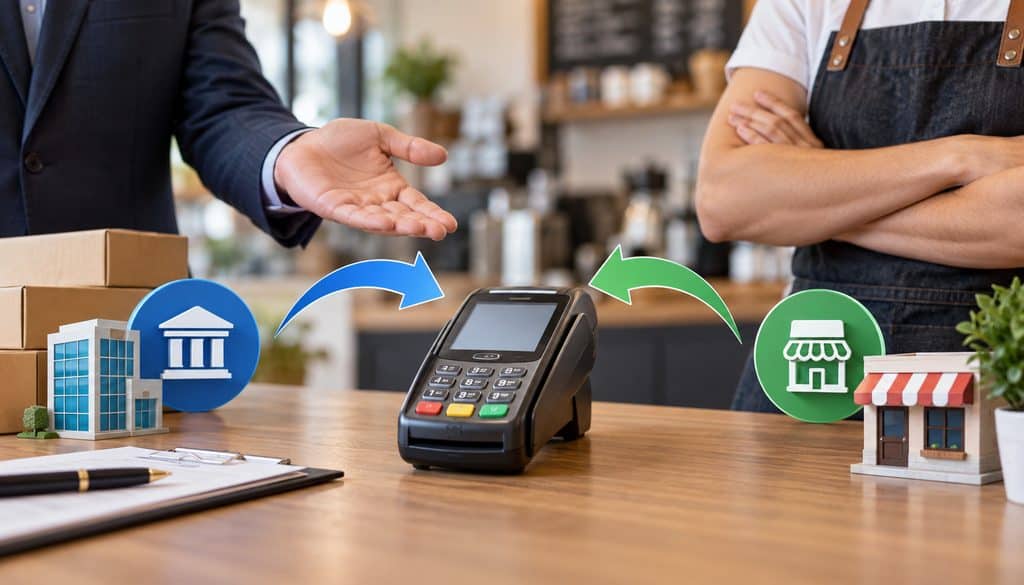
Ownership is one of the most important facts in the entire replacement process.
A merchant can receive a terminal at little or no upfront cost under several very different legal arrangements. Calling all of them “free terminals” hides distinctions that become obvious when something breaks.
Provider- or Processor-Owned Equipment
Under one structure, the provider retains ownership while giving the merchant the right to use the placed payment terminal while an account remains active and eligible.
That model can make equipment replacement primarily a contractual support question. The merchant may be entitled to replacement of a defective unit while remaining responsible for excluded damage, missing hardware, accessories, shipping, or failure to return equipment.
Provider ownership also makes the return clause important at termination.
Before accepting equipment under this model, review the broader implications of free-terminal contract terms and common placement-program mistakes, especially ownership, return requirements, and processor dependency.
Merchant-Owned Equipment
Another program can transfer ownership to the merchant. The hardware might have been subsidized, given after satisfying program conditions, or purchased separately despite being described as part of a “free terminal” package.
If the merchant owns the hardware, repair responsibility may depend more heavily on the manufacturer’s warranty, an optional device-protection plan, or whatever hardware-support commitment the processor separately made.
That can change the economics of free credit card terminal replacement dramatically.
A manufacturer may repair a covered defect but require a particular RMA process, shipping method, warranty eligibility, or return sequence. Once outside warranty or excluded coverage, the merchant may need to pay for repair or acquire another device.
Conditional Ownership
A third structure sits between those models.
The agreement may state that ownership transfers only after certain conditions are met, after a defined period, or when the merchant satisfies specified processing obligations. Until then, the provider may remain the legal owner.
Never infer ownership from whose logo is on the machine or whether an equipment invoice showed “$0.”
The written equipment agreement controls.
When ownership is important, comparing free POS equipment with a one-time hardware purchase can help separate the upfront equipment price from longer-term questions about control, maintenance, replacement responsibility, and processor dependency.
Ownership and Responsibility Table
| Equipment Status | Who Owns It? | Defect Responsibility | Damage Exposure |
| Provider-owned placement | Provider, subject to contract | Often governed by placement/support terms | Merchant may owe costs for excluded damage |
| Merchant-owned terminal | Merchant | Manufacturer warranty or purchased support may govern | Merchant generally bears uncovered costs |
| Conditional ownership | Depends on whether transfer conditions have been met | Depends on contract stage | Contract controls |
| Rental/lease arrangement | Lessor/provider typically retains ownership | Lease/service terms govern | Separate lease damage and return provisions may apply |
Placement is not automatically the same as leasing. Do not apply lease replacement provisions to a placement agreement unless that is actually the structure documented in the contract.
Why Ownership Determines Who Pays
Ownership does not answer every question, but it tells you where to begin.
When the provider owns the terminal, the provider may have an obligation to maintain or replace working equipment under the placement agreement. Yet ownership alone does not mean the merchant receives unlimited replacement hardware regardless of cause.
The agreement may distinguish normal failure from merchant-caused damage, theft, missing equipment, or unauthorized modification.
With merchant-owned hardware, the manufacturer warranty may become more important. If a covered component fails, the manufacturer or authorized service channel may repair or replace the terminal. If the failure falls outside warranty, the merchant may face repair or replacement cost.
Damage can shift responsibility regardless of ownership.
A provider-owned terminal dropped from a counter can still expose the merchant to a damaged-equipment charge if the contract assigns accidental damage to the merchant. Conversely, a provider may choose to include broader device protection. There is no safe universal assumption.
That is why free credit card terminal replacement should always be analyzed through two separate questions:
- Who owns the equipment?
- What failure or loss does the agreement say each party is responsible for?
Read the Equipment Addendum, Not Just the Processing Agreement
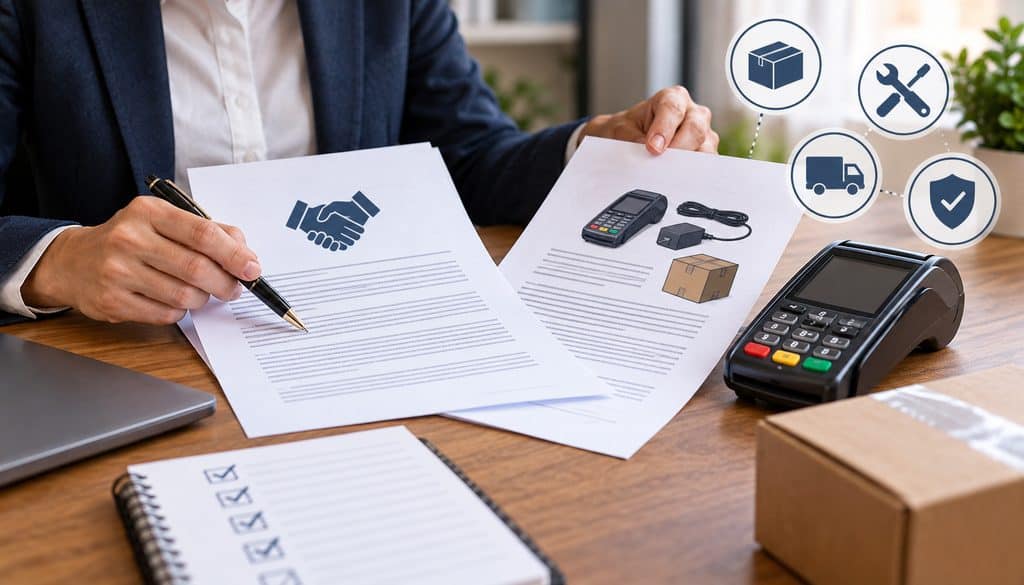
Replacement terms may not appear where merchants expect them.
The main merchant processing agreement may focus on transaction processing, settlement, fees, reserves, compliance, disputes, and account termination. Hardware rules may sit in a separate equipment addendum, placement form, device-protection schedule, order form, service schedule, or terminal agreement.
Search the documents for language covering:
- equipment ownership;
- maintenance;
- warranty;
- replacement;
- repair;
- damage;
- loss or theft;
- shipping;
- RMA procedures;
- accessories;
- returned equipment;
- replacement-device condition;
- non-return charges;
- termination;
- return deadlines.
No-upfront-cost equipment can still carry equipment-return clauses, processing obligations, support conditions, and other contractual responsibilities, so the signed equipment addendum should always control a live replacement decision.
If the agreement says nothing about replacement timing, do not assume a verbal promise fills the gap automatically. Ask the provider to clarify the support process in writing and save the response.
Defect vs Drop, Liquid, and Accidental Damage
This classification is where many replacement disputes begin.
The terminal does not care why it stopped functioning. The contract does.
Normal Hardware Failure
A normal hardware failure is generally a malfunction that develops during intended use without an identifiable damaging event.
Examples can include:
- unresponsive touchscreen;
- reader component that stops detecting cards;
- internal hardware fault;
- integrated printer mechanism failure;
- repeated device reboot caused by a failing component;
- battery degradation where covered by the applicable support terms.
Whether any particular failure qualifies for replacement still depends on the agreement and device support policy.
Normal wear deserves separate treatment too. A worn keypad, aging battery, degraded reader, or heavily used printer mechanism can be different from a device cracked during a fall.
Do not assume “wear and tear” is defined identically across providers.
Accidental Physical Damage
Physical damage generally involves an identifiable external event.
Common examples include:
- dropping the terminal;
- cracking the display;
- crushing or bending a connector;
- pulling a cable hard enough to damage the port;
- striking the terminal;
- damaging a dock through misuse.
Some programs exclude such events from defect coverage. Others may include device protection that changes the merchant’s exposure.
The agreement controls.
Environmental or Liquid Damage
Restaurants and bars face an obvious risk: liquid.
Coffee, soda, cleaning solution, sink spray, condensation, kitchen grease, or water exposure can turn an otherwise healthy terminal into unusable hardware.
Manufacturer warranty exclusions often address liquids and unsuitable environmental conditions, but that does not automatically establish what your particular placement provider will charge. A provider may have separate device-protection terms.
Outdoor merchants have different environmental risks: temperature, moisture, dust, unstable power, and physical movement.
The support team needs an accurate incident description. Calling a coffee spill an unexplained hardware defect can complicate the claim once inspection shows liquid intrusion.
When a Terminal Damage Fee Can Apply
A terminal damage fee can arise when the agreement shifts the cost of damage beyond normal supported failure to the merchant.
The charge might be structured as a fixed contractual amount, actual repair cost, replacement cost, depreciated value, scheduled equipment value, or another contractually defined measure.
There is no responsible universal number to quote.
Damage and non-return charges vary widely by terminal model and program. Merchants should look for a fixed equipment-value schedule or replacement-cost table in the addendum rather than relying on a generic industry number.
That rule is especially important when someone tells you there is a “standard industry damage fee.” Ask to see the actual schedule applicable to your device.
A terminal damage fee should be traceable to the signed agreement or applicable support terms. If the provider assesses one, request the device identification, classification, and contractual basis for the charge.
Lost or Stolen Equipment Is Different From Failed Equipment
A terminal that no longer works is still physically available for inspection and return.
A lost terminal is not.
Placement programs can therefore treat missing, lost, or stolen devices differently from malfunctioning hardware. A missing device also creates an operational security issue because the provider may need to disable, de-register, or otherwise address the device on its systems.
Report loss or theft promptly through the provider’s approved support channel.
Do not assume theft automatically eliminates merchant responsibility, and do not assume the merchant is automatically liable for full replacement cost. Review the contract.
Credit Card Terminal Swap Program: Advance Swap vs Return-and-Wait
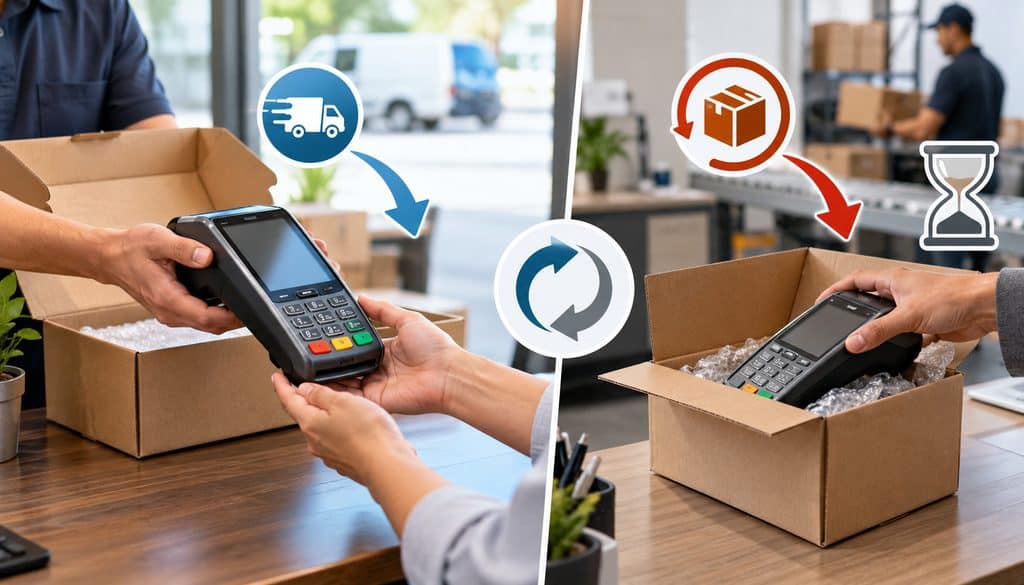
Once support determines that hardware replacement is appropriate, the next operational question is sequence.
A credit card terminal swap program generally follows one of two broad models: replacement-first or return-first.
Specific providers can add variations.
Advance Swap
Under an advance-swap arrangement:
- Support confirms that the terminal qualifies for replacement.
- A replacement is approved.
- Replacement hardware ships before the failed device is returned.
- The merchant activates or provisions the replacement.
- The merchant sends the failed unit back within the required return window.
The operational advantage is obvious: the merchant has a better chance of keeping downtime short.
Advance replacement also creates return risk. Once the new machine is functioning, the failed terminal can easily end up beneath a counter, in an office cabinet, or at a different store while the return deadline keeps running.
A free credit card terminal replacement can therefore turn into a non-return charge if the failed equipment is never received as required.
Return-and-Wait
A return-and-wait workflow reverses the order:
- Support confirms the replacement path.
- The merchant receives an RMA or other return authorization.
- The failed device is shipped back.
- The provider or service center receives or inspects it.
- Replacement equipment ships according to program policy.
This model puts more pressure on the merchant’s backup-payment plan because the primary device can be absent for longer.
Manufacturer warranty processes can resemble this approach. For example, published Verifone terms describe an RMA return process in which covered devices are returned to a designated facility and then repaired or replaced under the applicable warranty process.
Advance Swap vs Return-and-Wait
| Factor | Advance Swap | Return-and-Wait |
| Replacement ships | Before failed unit is returned | After return, receipt, or inspection depending on program |
| Downtime risk | Generally lower | Generally higher |
| Failed-unit return deadline | Often operationally critical | Return happens earlier in workflow |
| Non-return exposure | Significant if merchant forgets return | Usually lower after return completed |
| Best operational fit | Busy or high-dependency locations | Locations with effective backup capacity |
| Shipping terms | Contract-specific | Contract-specific |
| Replacement condition | Could be new or refurbished/reconditioned if agreement permits | Same |
These characteristics describe the workflow, not a universal provider promise.
A published provider program provides a useful real example of why merchants must read return language. Shift4’s publicly available FE Program terms describe replacement equipment and impose return requirements for certain damaged equipment, including a contractual deadline after receiving comparable replacement equipment. They also assign replacement-shipping cost in that program. Those terms should not be generalized to unrelated providers, but they show why an advance swap needs a disciplined return process.
What Does the Swap SLA Actually Promise?
A replacement SLA can refer to several different clocks:
- how quickly a support agent responds;
- how quickly troubleshooting begins;
- how quickly replacement eligibility is decided;
- how quickly the replacement is released for shipment;
- which shipping service is used;
- expected delivery timing;
- escalation timing.
“24/7 support” tells you when help may be available. It does not by itself tell you how fast replacement hardware ships.
That distinction matters during a lunch rush on Friday.
Shipping, Non-Return Fees, and New vs Refurbished Replacements
Hardware replacement has logistics costs that the word “free” does not resolve.
Possible contract categories include:
| Fee Type | Possible Trigger | What the Agreement Should Say | How to Avoid Surprise |
| Damage charge | Excluded accidental or physical damage | How damage is classified and valued | Review exclusions before use |
| Lost-device charge | Terminal cannot be returned | Equipment-value method | Maintain device custody records |
| Non-return charge | Failed/replaced unit not returned on time | Return window and amount/method | Track RMA and delivery |
| Outbound shipping | Replacement hardware sent | Who pays standard freight | Confirm before approval |
| Expedited freight | Merchant requests faster service | Optional expedited cost | Ask before selecting shipment |
| Accessory replacement | Cable, dock, stand, battery, printer not covered | Accessory coverage | Inventory accessories separately |
| Loaner/spare cost | Temporary equipment requested | Availability and charges | Obtain written terms |
Shipping may involve several independent questions.
Who pays to send the replacement out? Is standard shipping included? Is expedited freight extra? Is weekend delivery available? Who supplies the return label? Does the box for the replacement double as the failed-unit return package?
Do not assume any answer.
Non-Return Fee Exposure
A non-return charge is conceptually different from a damage charge.
The provider sends another device because the failed device is expected back. If the merchant keeps, loses, discards, or fails to return the original hardware within the contractual window, the provider may assess a charge under the equipment terms.
This is one reason serial numbers matter.
Record:
- failed terminal serial number;
- replacement serial number;
- support ticket number;
- RMA number;
- carrier tracking number;
- shipment date;
- carrier delivery confirmation;
- provider confirmation if available.
If a non-return charge later appears, those records turn an argument into a traceable logistics issue.
Pro Tip: Keep the RMA, tracking record, and delivery confirmation until the provider has acknowledged receipt or the applicable return issue is fully closed.
Can the Replacement Be Refurbished?
Possibly.
A replacement terminal does not have to be factory-new unless the applicable agreement promises that.
Manufacturers themselves may use repaired, reconditioned, or serviceable equipment and components within certain repair/replacement programs. Ingenico’s current terms allow repair using new or repaired parts and replacement with new hardware or hardware in good operating condition in the circumstances described by its warranty. Verifone likewise states that it may use new and reconditioned parts in repairs and replacement products.
That does not make refurbished payment hardware inherently inferior.
The relevant questions are whether the replacement is supported, appropriately provisioned, compatible with the merchant’s account, in good operating condition, and covered by the applicable support policy.
Free Terminal Placement Program Support: What Good Support Actually Includes
Useful free terminal placement program support is more than a telephone number printed on a statement.
For a hardware-dependent merchant, the service model should explain the entire failure lifecycle:
- initial troubleshooting;
- escalation from software/connectivity diagnosis to hardware review;
- defect-versus-damage classification;
- replacement eligibility;
- RMA issuance;
- shipping method;
- replacement ETA or SLA;
- activation help;
- return instructions;
- return confirmation;
- fee-dispute escalation;
- repeat-failure review.
The provider should also be able to distinguish terminal hardware from associated accessories.
A broken power supply may not require an entire terminal replacement. An external printer may have its own support path. A paper jam is different from an integrated printer motor failure. A mobile-terminal battery may be separately replaceable on one device but integrated into another.
The applicable model documentation and equipment terms determine the correct path.
Merchants using free credit card terminals and no-cost POS equipment should understand whether the hardware is owned, placed, subsidized, or tied to the merchant account because that structure can affect repair, replacement, and return obligations.
During an actual outage, support should still work from the exact terminal model, serial number, merchant account, and signed equipment agreement.
Firmware, Software, and Provisioning Problems
Not every apparent hardware failure deserves a shipping label.
A frozen application, incomplete update, incorrect configuration, provisioning issue, or communication problem may be resolved remotely.
Support may be able to reload software, push an approved update, refresh configuration, or re-provision the device through authorized systems.
The merchant should not attempt security-sensitive provisioning, encryption, key injection, or unauthorized software modification.
Connectivity Failure
A terminal that displays a communication error may be working perfectly.
Before requesting free credit card terminal replacement, determine whether other devices on the same network can reach the internet, whether Ethernet is connected, whether Wi-Fi is available, and whether the terminal shows a network-specific error.
A failing router, ISP outage, damaged Ethernet cable, changed Wi-Fi password, firewall configuration, or cellular-service problem can mimic terminal failure.
Swapping the terminal will not fix the router.
How to Keep Taking Payments While the Replacement Ships
The best replacement program still has a problem: customers need to pay before the replacement arrives.
Payment continuity should therefore be designed before equipment failure.
A resilient merchant may have one or more approved alternatives:
| Fallback | Card-Present? | Setup Needed | Main Tradeoff |
| Configured backup terminal | Yes | Must be provisioned and tested | Hardware cost/availability |
| Mobile reader | Usually yes when used as designed | App/device/account pairing | Compatibility and connectivity |
| Spare terminal | Yes | Must be active or activation-ready | Inventory management |
| Virtual terminal | Usually manual/card-not-present entry | Gateway access and permissions | Pricing/fraud characteristics can differ |
| Approved payment link | Remote acceptance | Provider/gateway setup | Customer must complete remotely |
A backup terminal sitting unopened in a storage cabinet is not necessarily a backup.
It may still require software, merchant parameters, application setup, network access, location configuration, or activation.
Test contingency equipment before you need it.
Loaner Credit Card Terminal, Backup Reader, or Virtual Terminal?
A loaner credit card terminal can be useful when the primary terminal is unavailable and the provider offers temporary hardware.
Availability varies.
Ask whether the loaner must be separately activated, whether it will process under the same merchant account/location, how it will be shipped, when it must be returned, and whether charges apply.
A loaner credit card terminal should also have its own serial-number record. Do not treat temporary equipment as anonymous hardware.
A configured mobile reader may be a more practical contingency for some merchants. A smartphone or tablet-based reader can preserve card-present acceptance if it is already approved, compatible with the merchant account, and properly provisioned.
Virtual Terminal Fallback
For certain merchants, a virtual terminal can preserve some payment capability when physical hardware is unavailable.
When an approved gateway is already enabled on the merchant account, a browser-based virtual terminal can provide a temporary payment channel without the failed countertop device. Authorize.net, for example, documents an internet-connected Virtual Terminal for manually processing credit card and eCheck transactions, although availability and processor requirements depend on the merchant’s account configuration.
That does not mean every terminal merchant automatically has Authorize.net or another gateway.
It also does not mean virtual-terminal transactions are operationally identical to EMV/contactless card-present transactions. Manually entered transactions can have different pricing, fraud exposure, dispute characteristics, and data-entry requirements.
The right lesson is to arrange the approved fallback with your own processor or gateway before an outage.
Never Write Card Numbers Down for Later
A dead terminal does not justify collecting payment-card numbers on sticky notes, order pads, spreadsheets, text messages, or unsecured documents for later entry.
Use an approved payment channel.
If no approved backup method is available, follow the processor’s outage procedure rather than creating an informal store-now-process-later system containing sensitive cardholder data.
Payment Continuity Workflow
A practical outage sequence looks like this:
Primary terminal fails → switch to configured backup → open support case → document failed device → diagnose failure → request swap → track replacement → activate replacement → test payments → return failed hardware.
The backup channel buys time, but the support case should still begin promptly.
When a replacement arrives, it may require provider-controlled provisioning, terminal software, merchant credentials, correct MID/location assignment, receipt configuration, tip settings, or other account-specific parameters.
After activation, run an approved test transaction or provider-recommended validation.
Confirm:
- transaction approval;
- receipt behavior;
- network connection;
- tip workflow, if applicable;
- refund/void access where appropriate;
- batch or settlement behavior.
For multi-location businesses, confirm that the replacement is provisioned to the correct store and merchant location before putting it into full production.
Support Questions to Ask Before Signing a Placement Agreement
The best time to learn how free credit card terminal replacement works is before the terminal fails.
These questions turn vague promises into operating requirements:
- Who owns the terminal?
- What constitutes normal hardware failure?
- What counts as merchant-caused damage?
- Are covered hardware defects replaced without an equipment charge?
- Does the credit card terminal swap program use advance replacement?
- If not, must the failed device be received or inspected before another ships?
- What exactly does the replacement SLA measure?
- Is standard replacement shipping included?
- What does expedited shipping cost, if available?
- Who pays or provides return shipping?
- Can the replacement be refurbished or reconditioned?
- Is there a non-return charge?
- What is the failed-equipment return deadline?
- What records prove the return?
- Is a loaner credit card terminal available?
- Can the merchant maintain a configured spare?
- Is an approved virtual terminal or mobile reader available as backup?
- Who handles replacement activation and provisioning?
- Are cables, docks, batteries, printers, and other accessories covered separately?
- What happens after repeated hardware failures?
Pre-Signing Support Questions Table
| Question | Why It Matters | Red Flag |
| Who owns the equipment? | Determines custody and responsibility | Agreement is unclear |
| What is covered as a defect? | Defines replacement eligibility | Only verbal answer |
| Advance swap? | Directly affects downtime | Return sequence not disclosed |
| What is the replacement SLA? | Defines realistic recovery expectation | “24/7 support” offered as the only answer |
| Shipping included? | Controls replacement cost | Expedited charges unexplained |
| Can replacement be refurbished? | Sets equipment expectations | Policy cannot be explained |
| Non-return charge? | Creates post-swap exposure | No written return terms |
| What is the return deadline? | Determines urgency | Staff cannot identify it |
| Backup payment channel? | Protects continuity | No tested fallback |
| How are repeated failures escalated? | Helps resolve model/environment problems | Every failure treated as isolated |
For free terminal placement program support, these questions are arguably more useful than asking whether a support line exists.
Practical Terminal Failure Workflow
When the terminal dies mid-shift, use a controlled process rather than improvising.
- Stop using the device if continued operation appears unsafe. If there is obvious electrical damage, overheating, liquid intrusion, smoke, physical breakage, or another hazard, remove it from service according to provider/manufacturer instructions.
- Check approved basic troubleshooting steps. Verify power, cables, connectivity, and permitted restart procedures.
- Record the terminal model and serial number. Do not rely on visual appearance.
- Photograph visible damage. This is especially useful for a cracked housing, impact damage, or liquid-related incident.
- Open a support ticket. Record the ticket number and time.
- Determine whether the problem is hardware, software, power, or connectivity.
- Determine whether the event appears to be a defect, wear issue, accidental damage, or environmental damage.
- Review the equipment addendum.
- Confirm replacement eligibility.
- Ask whether the process is advance-swap or return-first.
- Confirm the shipping method and cost.
- Switch to the configured backup payment channel.
- Receive the replacement terminal.
- Compare its model and serial number with the shipment/support record.
- Activate or provision it through the provider’s authorized process.
- Run the approved test transaction.
- Verify receipts, settings, network connection, and expected settlement behavior.
- Package the failed unit using the required method.
- Use the RMA and provider-supplied label if required.
- Save carrier tracking and delivery confirmation.
- Confirm the provider has accepted the return where possible.
- Audit any damage, shipping, or non-return charge.
- Escalate repeated model failures.
- Update the equipment log.
That workflow turns free credit card terminal replacement from a frantic phone call into a manageable operations process.
Track Terminals Like Business Assets
Multi-location merchants should never have to ask, “Which black terminal did we ship back?”
Maintain an equipment register.
| Location | Terminal Model | Serial # | Owner | Install Date | Replacement History |
| Store 1 | Model name | Serial | Provider/Merchant | Date | Ticket/RMA history |
| Store 2 | Model name | Serial | Provider/Merchant | Date | Ticket/RMA history |
| Mobile team | Model name | Serial | Provider/Merchant | Date | Ticket/RMA history |
Then maintain a replacement log:
| Ticket | Failure | Damage Classification | Replacement | Tracking | Return Confirmed |
| Support ticket | Symptom | Defect/damage/connectivity | New serial | Carrier ID | Yes/No |
This is especially useful when multiple locations share the same terminal model.
A wrong-device return can create provisioning problems and non-return disputes at the same time.
When Repeated Terminal Failures Justify Requesting a Different Model
One failed terminal may be random.
Repeated failures deserve pattern analysis.
The strongest model-change request is supported by documented evidence such as:
- repeated failures of the same component;
- recurring liquid incidents in an environment poorly suited to the device;
- battery performance that does not support mobile operating patterns;
- repeated connectivity limitations;
- high transaction volume that exposes workflow problems;
- recurring accessory or dock failures;
- repeated replacements of the same terminal family.
Do not jump from “the terminal broke twice” to “the provider owes us an upgraded device.”
The agreement may not create an automatic right to a different model.
Instead, escalate operationally:
“We have documented three hardware incidents involving this model at this location. Can you review whether another supported device would be better suited to our operating environment?”
That approach gives support something concrete to evaluate.
Environment Fit Can Be the Real Problem
Consider four merchants.
A cafe keeps its terminal directly beside an espresso station. Liquid exposure is the recurring issue.
A mobile contractor uses a countertop-oriented device in the field and repeatedly struggles with battery life.
A retailer uses Wi-Fi in an area with intermittent coverage when Ethernet would provide a more stable connection.
A high-volume restaurant relies on one primary terminal and has no backup during peak periods.
In each case, replacing the same device may treat the symptom without fixing the operational design.
Mounting, proper stands, cable management, spill placement, appropriate power protection, Ethernet or cellular redundancy, and better backup planning can improve resilience.
These precautions do not automatically change contractual damage liability. They reduce preventable incidents.
Typical Merchant Scenarios
Scenario 1 — The Screen Dies Without Physical Damage
A clothing store’s countertop terminal powers on, but the touchscreen no longer responds. There is no visible crack, spill, drop, or other obvious damage.
The manager verifies the approved restart procedure and power connection. Support confirms that remote troubleshooting does not resolve the problem.
The next step is to review the terminal replacement policy.
If the placement agreement treats the event as a covered hardware defect, the terminal may enter the provider’s replacement process. Whether the replacement ships first depends on the applicable swap rules.
The merchant records the failed serial number, ticket, RMA, replacement serial number, and return tracking.
That is the cleanest free credit card terminal replacement scenario—but coverage still comes from the actual agreement.
Scenario 2 — Coffee Spill During Morning Rush
A cafe employee knocks an iced coffee onto the payment device.
The terminal shuts down.
This should not automatically be reported as an unexplained defect. The merchant should remove the device from service as appropriate, document the incident, open a support case, and review the liquid-damage provisions.
The provider may classify the device differently from normal hardware failure.
A terminal damage fee or replacement charge could apply if the contract assigns that type of damage to the merchant. A protection plan could produce a different outcome.
The merchant should not assume either result before checking the agreement.
Scenario 3 — Replacement Arrives, Failed Terminal Goes Into a Drawer
A restaurant receives an advance replacement Friday morning.
The new terminal is activated before lunch. The manager plans to ship the failed terminal after the weekend.
Monday becomes inventory day. Tuesday is payroll. By the following week, nobody remembers where the return carton went.
This is how a successful credit card terminal swap program can still create a non-return problem.
The corrective control is simple: assign one employee ownership of the return, record the RMA and tracking number, and do not close the internal ticket until carrier delivery is confirmed.
Scenario 4 — Third Hardware Failure
A multi-location merchant records three failures involving the same terminal model within a year.
Rather than requesting another identical swap without discussion, the payment administrator summarizes:
- each serial number;
- each support ticket;
- failure component;
- location;
- operating conditions;
- replacement outcome.
The administrator then asks the provider whether another supported model would better match the environment.
That request does not guarantee an upgrade, but the documented history gives the provider a meaningful technical escalation.
Placement Program vs Purchased Terminal
A placed terminal and a purchased terminal can look identical at the counter while having completely different replacement rules.
With placement hardware, the provider’s equipment agreement may govern:
- ownership;
- maintenance;
- defect replacement;
- damage;
- swap logistics;
- return requirements.
With purchased equipment, the merchant may depend more directly on manufacturer warranty terms, reseller support, or a separately purchased service plan.
That distinction is why free credit card terminal replacement cannot be reduced to a universal warranty rule.
The practical difference between placed and purchased hardware becomes clearer when merchants compare free-equipment arrangements with outright terminal ownership, particularly around maintenance responsibility, processor dependency, replacement costs, and what happens when the processing relationship changes.
Placement is also not automatically a lease. A lease has its own contractual payment, ownership, return, and service structure. Do not import lease assumptions into a placement arrangement.
Common Terminal Replacement Mistakes
| Mistake | Operational/Fee Risk | Better Approach |
| Assuming “free” means every failure is free | Unexpected damage or replacement cost | Read equipment terms |
| Skipping failure diagnosis | Unnecessary replacement | Rule out power/network/software first |
| No serial-number log | Wrong device returned or dispute | Maintain asset register |
| No backup channel | Lost sales during downtime | Provision fallback beforehand |
| Confusing 24/7 support with hardware SLA | Unrealistic recovery expectation | Ask for replacement SLA |
| Forgetting failed-unit return | Non-return charge | Assign return owner and track shipment |
| Throwing away tracking receipt | Weak dispute evidence | Keep RMA and carrier proof |
| Writing card numbers down during outage | Security/compliance exposure | Use approved payment channel |
| Assuming replacement will be factory-new | Expectation dispute | Ask about replacement-device policy |
| Failing to test replacement | New outage at checkout | Validate transaction and settlement |
| Ignoring repeat failure history | Endless identical swaps | Document pattern and escalate |
Free Terminal Failure and Replacement Checklist
Use this checklist during an actual outage:
- Identify the terminal model.
- Record the serial number.
- Check the approved power source.
- Check cables and permitted accessories.
- Verify network connectivity.
- Follow the manufacturer/provider-approved restart process.
- Capture the error message.
- Photograph visible physical damage.
- Open a support ticket.
- Record the ticket number.
- Determine hardware versus connectivity/software failure.
- Determine possible defect versus accidental damage.
- Review equipment ownership terms.
- Review warranty/support language.
- Review damage exclusions.
- Confirm free credit card terminal replacement eligibility.
- Ask whether advance swap applies.
- Confirm the replacement SLA.
- Confirm outbound shipping responsibility.
- Confirm expedited-freight cost before requesting it.
- Confirm return-label responsibility.
- Ask whether the replacement may be refurbished.
- Obtain the RMA or other required return authorization.
- Switch to an approved backup payment method.
- Track the replacement shipment.
- Record the replacement serial number.
- Activate through the provider’s approved process.
- Run an approved test transaction.
- Verify receipt settings.
- Verify tips or other applicable settings.
- Confirm batch/settlement behavior.
- Return the failed terminal.
- Include required accessories if the return instructions require them.
- Save tracking proof.
- Confirm delivery.
- Confirm provider receipt where practical.
- Review any damage or non-return assessment.
- Update the asset register.
- Escalate repeated failures.
Frequently Asked Questions
Who owns a terminal in a free placement program?
It depends on the agreement.
Some programs leave ownership with the processor, ISO, acquirer, equipment provider, or other provider. Others transfer ownership to the merchant immediately or after stated conditions are satisfied. Check the equipment addendum rather than assuming ownership based on the lack of an upfront price.
Is a free credit card terminal replacement always free?
No.
A free credit card terminal replacement may be available for a covered hardware defect, while accidental damage, liquid exposure, missing equipment, excluded accessories, expedited shipping, or failure to return replaced hardware can create costs depending on the contract.
“Free terminal” normally describes one part of the commercial arrangement, not every possible future equipment event.
Who pays if a placed terminal simply stops working?
The answer depends on ownership, warranty/support terms, and the cause of failure.
If the provider owns the terminal and the event qualifies as a supported defect, the placement agreement may provide repair or replacement. If the merchant owns it, the manufacturer’s warranty or another support plan may govern.
What if an employee drops the terminal?
Report the damage honestly and review the agreement.
Drop damage is commonly distinguished from a manufacturing defect in terminal warranty documentation, but the merchant’s actual financial responsibility depends on the placement or protection agreement. Do not assume a specific terminal damage fee until the provider identifies the applicable contractual provision.
Is liquid damage covered under a placement program?
Sometimes it may be covered by a protection program; sometimes it may be excluded.
Manufacturer warranty documents frequently treat liquid exposure differently from manufacturing defects, but placement providers can have their own terms. Check the equipment addendum before assuming either coverage or liability.
What is a terminal damage fee?
A terminal damage fee is a contractual charge that may apply when equipment is damaged in a way that the merchant agreement assigns to the merchant.
Its calculation could depend on a fixed schedule, repair cost, replacement cost, equipment value, or another contractual method. There is no universal industry amount.
What is a credit card terminal swap program?
A credit card terminal swap program is a support process through which a failed or eligible terminal is exchanged for working hardware. Some programs ship replacement hardware first. Others require the failed device to be returned or received before another is sent. The return, shipping, eligibility, and fee terms should be documented.
What is the difference between advance swap and return-and-wait?
Advance swap sends replacement hardware before the failed terminal is returned.
Return-and-wait generally requires the failed hardware to enter the return process before replacement is shipped.
Advance replacement can reduce downtime but makes the merchant’s post-replacement return process particularly important.
How long should replacement shipping take?
Use the actual replacement SLA in your agreement or provider documentation. There is no universal shipping time that responsibly applies to every placement program.
Ask whether the quoted timing starts when the support case opens, when the defect is approved, when the warehouse releases the device, or when the carrier receives it.
Can a provider send a refurbished replacement?
Yes, if the agreement or applicable replacement policy permits it.
Manufacturers may use reconditioned parts or serviceable replacement equipment within their own repair processes. A professionally refurbished or reconditioned terminal is not automatically inferior.
Ask about the replacement-device policy before relying on an assumption that every swap produces factory-new hardware.
What happens if I do not return the failed terminal?
If the agreement requires return after replacement, the provider may assess a non-return charge or equipment-value charge. Keep the RMA, serial number, carrier tracking, and delivery confirmation. If you are charged despite returning the hardware, those records form the core of the dispute.
Can I get a loaner credit card terminal while I wait?
Possibly.
A loaner credit card terminal is provider-specific. Ask whether temporary hardware is available, whether there is a charge, how it is provisioned, and when it must be returned. A configured spare may be a more predictable alternative for businesses with high downtime exposure.
Can I use a virtual terminal during a hardware outage?
Potentially, if your processor or gateway has an approved virtual-terminal option enabled.
Virtual-terminal payments involve manual or card-not-present entry and can carry different pricing, fraud, dispute, and operational considerations from chip or contactless card-present payments. Do not store card numbers informally for later processing.
What support questions should I ask before signing a placement agreement?
Ask who owns the device, what counts as a covered defect, what counts as merchant damage, whether replacement uses advance swap, what the SLA actually measures, who pays shipping, whether replacements can be refurbished, how non-return charges work, whether a spare or loaner is available, and how replacement activation works.
Those answers define the practical value of free terminal placement program support far better than a generic promise of technical assistance.
Can I request a different terminal model after repeated failures?
Yes, you can request one, but that does not necessarily mean the agreement gives you an automatic right to an upgrade or different model.
Document every failure and support ticket. If the pattern suggests an environmental, connectivity, battery, workload, or component-fit problem, ask the provider to review whether another supported terminal would be better suited to the location.
Conclusion
A terminal that was free to install is not necessarily free to damage, lose, replace, expedite, or forget to return.
The outcome of a free credit card terminal replacement starts with equipment ownership and the written equipment addendum. Covered hardware defects should be kept separate from drops, liquid exposure, missing equipment, and other events that a program may classify differently.
Swap logistics matter almost as much as coverage. An advance-replacement arrangement can reduce payment downtime significantly compared with a return-first process, but merchants still need to know the shipping terms, replacement SLA, return deadline, non-return rules, and whether replacement equipment may be refurbished.
The strongest payment-continuity plan is built before anything breaks. A configured spare, mobile reader, approved virtual terminal, or provider-supported loaner credit card terminal can keep a hardware problem from becoming a sales shutdown.
Finally, document repeated failures rather than treating every incident as isolated. Serial numbers, tickets, RMAs, tracking records, and failure history give merchants both stronger fee-dispute evidence and a better foundation for requesting a different supported model when the existing device is not working well in the real operating environment.